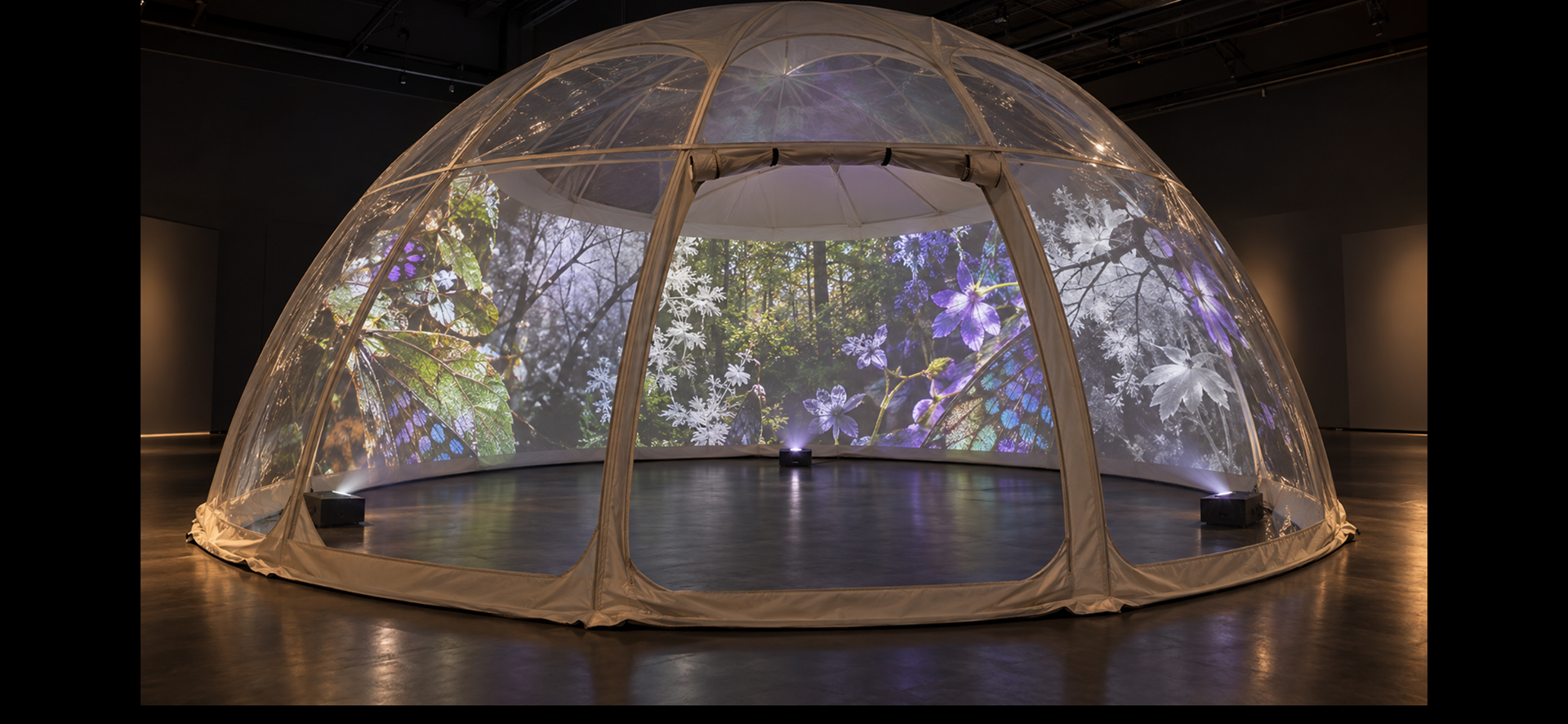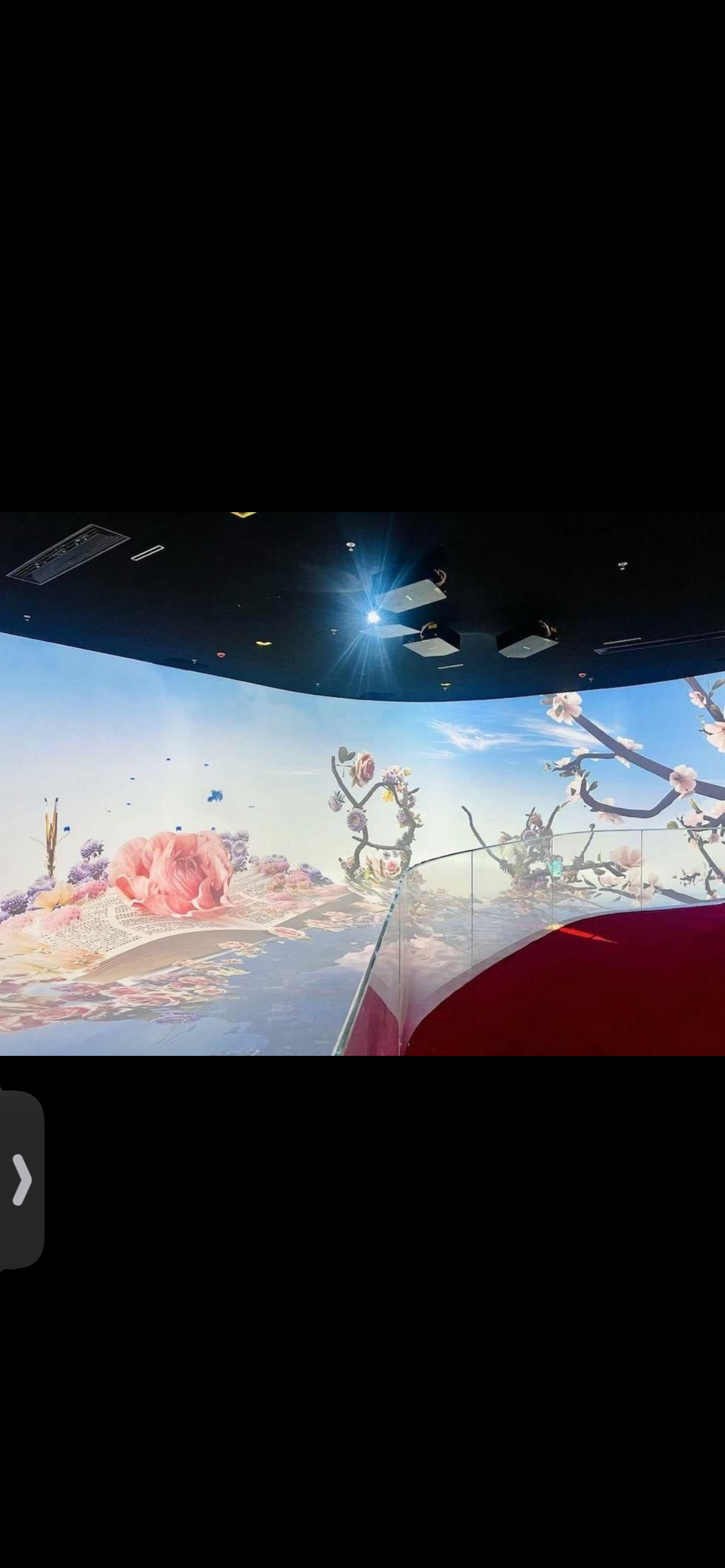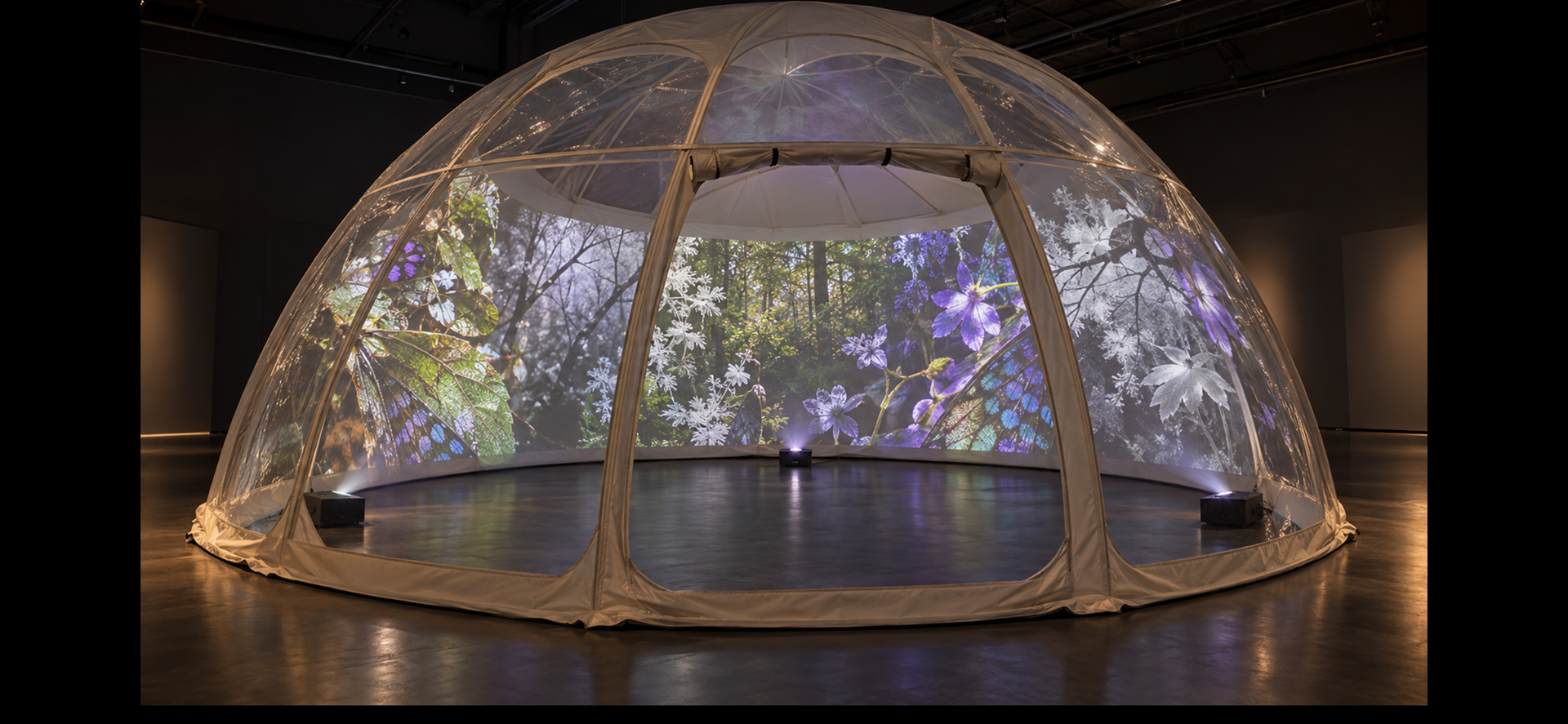


Using three projectors arranged around the perimeter, with their images overlapping to create a continuous panorama. The final arrangement depends on their lens types and throw distances.
THREE-PROJECTOR LAYOUT
A practical projection plan for “Seeing Otherwise”
Purpose. Develop the three-projector arrangement shown in “Projectors for dome.docx” into a supervisor-facing working plan for a walk-in dome presenting the artist’s human-visible, UV-derived and IR-derived butterfly, flower and woodland imagery.
Status: Conceptual layout for testing, not an installation-ready technical drawing. The final positions depend on the university’s actual projector models, lenses, throw ratios, outputs, the measured dome and the chosen projection liner.
1. Design basis
Dome footprint
Approx. 4.45 m × 4.45 m; confirm final product dimensions.
Dome height
Approx. 2.23 m; confirm before design is fixed.
Projection surface
Separate removable inner liner / tensioned panels; test matte-white stretch projection fabric first. Scrim is an optional artistic test, not the default for fine detail.
Image content
Artist’s multispectral macro photographs, natural-colour butterfly, orchid/flower detail and woodland imagery. UV/IR-derived imagery is shown as visible-colour representation, with interpretation made clear.
Starting configuration
Three projectors spaced around the inner perimeter, each covering a broad curved wall sector with deliberate overlap.
Audience
Central low seating area, with a non-floor seat and a clear entrance/exit route.
2. Proposed plan view
Reading the diagram: P1–P3 are provisional projector positions. Each projector is aimed at a different section of the curved liner; neighbouring images overlap slightly so mapping software can blend the joins. The centre is reserved for visitors, not equipment.
Important refinement: the sketch uses three projectors as a starting hypothesis, following the reference diagram. It does not assume equal image sizes or a fixed lens. The university AV team should calculate the real throw and coverage from the equipment specifications.
3. Side elevation and visitor sightlines
Place equipment as close to the perimeter as safely possible and angle beams away from seated visitors’ eyes. Before inviting visitors in, test whether a person or chair creates shadows on the liner. If shadows or bright hotspots are unavoidable, trial alternative projector positions or lenses rather than locking the layout prematurely.
5. Projection mapping and playback workflow
Prepare a master sequence — Edit a short loop with a deliberate progression: familiar visible-light images → UV-derived / altered visual register → IR-derived or habitat imagery → return to the familiar landscape.
Split and map the content — In mapping software, create three output surfaces or masks corresponding to the curved sectors. Warp each image to the liner geometry; mask unwanted spill and reserve the doorway.
Blend the overlaps — Use soft-edge blending if supported. Begin with a small overlap between adjacent sectors; adjust only after seeing real projected light on the chosen fabric. Avoid bright double-exposed seams.
Synchronise playback — Use one computer and a stable playback workflow where possible. Confirm graphics capability, number of simultaneous outputs, frame rate and whether the source is 360/equirectangular or a conventional wide video.
Calibrate in the actual dome — Set geometry first, then focus, brightness, colour balance, masks and blending. Recheck from seated eye height and from the entrance. Photograph the test and record settings.
6. Equipment information to confirm with the university
Item
Ask for / verify Projectors (×3 if available)
Make/model; brightness (lumens); native resolution; aspect ratio; inputs; mounting options.
Determines image detail, brightness and whether three units can match.
Lens / throw
Lens model, throw ratio, zoom range; short-throw or ultra-short-throw options.
Determines projector distance and image width on a curved surface.
Computer
Mac/PC model, graphics capability, operating system, video outputs/adapters.
Must drive all outputs reliably and play the master sequence without dropped frames.
Software
Available licence/support for MadMapper, Resolume Arena or another mapping system.
Needed for surface warping, masking, output routing and edge blending.
Room & safety
Can venue be darkened? Cable routing, ventilation, fire performance, projector security and access rules.
Affects image contrast, visitor safety and approval for public use.
7. Test and decision sequence
Confirm the dome dimensions and entrance position; measure the actual curved inner surface.
Obtain projector and lens specifications from the university before fixing distances or buying materials.
Test sample pieces of matte-white stretch projection fabric and a specialist projection surface; optionally test scrim for a deliberately translucent effect.
Project the same 30–60 second clip onto each sample. Compare wing detail, flower texture, colour, black levels, brightness, viewing angle, seams and wrinkles.
Run a single-projector test first, then two, then three. Record coverage, shadows, overlap width and any uneven brightness.
Try seating positions and confirm a clear entrance/exit, a non-floor seating option, accessible circulation and safe cable routes.
Photograph the final test arrangement and keep a technical log for the PhD practice-research record. Obtain ethics approval before collecting visitor responses for research.
8. Risks, limitations and decisions still open
Shadows: front projection inside the dome can be blocked by people or furniture. Keep the central zone clear and test from seated positions.
Visible seams: overlapping sectors may appear brighter or show joins. Mapping masks and soft-edge blending need real-world calibration.
Brightness / contrast: the inner liner and ambient light can reduce image contrast. A transparent outer shell should not automatically be treated as the projection screen.
Lens geometry: the dome is curved; a conventional flat image will need warping. The diagrams do not provide a final throw distance.
Scientific interpretation: UV reflectance, UV-induced fluorescence and infrared imaging are different techniques. Captions should describe what was captured and any false-colour mapping, rather than implying the projection is literally what a butterfly sees.
Accessibility and safety: preserve a clear exit, manage heat and ventilation, keep beams out of eyes and confirm fabric fire performance and venue approval.
9. Questions for the supervisor / AV team
Can we book three matched projectors at the same time, and which lenses are available?
Can the available computer support three independent outputs at the required resolution?
Which mapping software is licensed and supported by the university?
Can we arrange a dark-room test with a curved fabric sample or a small section of the dome?
Would the university advise on safe mounting positions and whether internal perimeter projection is practical in this venue?
Can the installation be assessed as a staged prototype before committing to a full inner liner?
Visit to Colt VR: Exploring Immersive Projection Technologies digital arts, live performance, XR and fulldome cinema
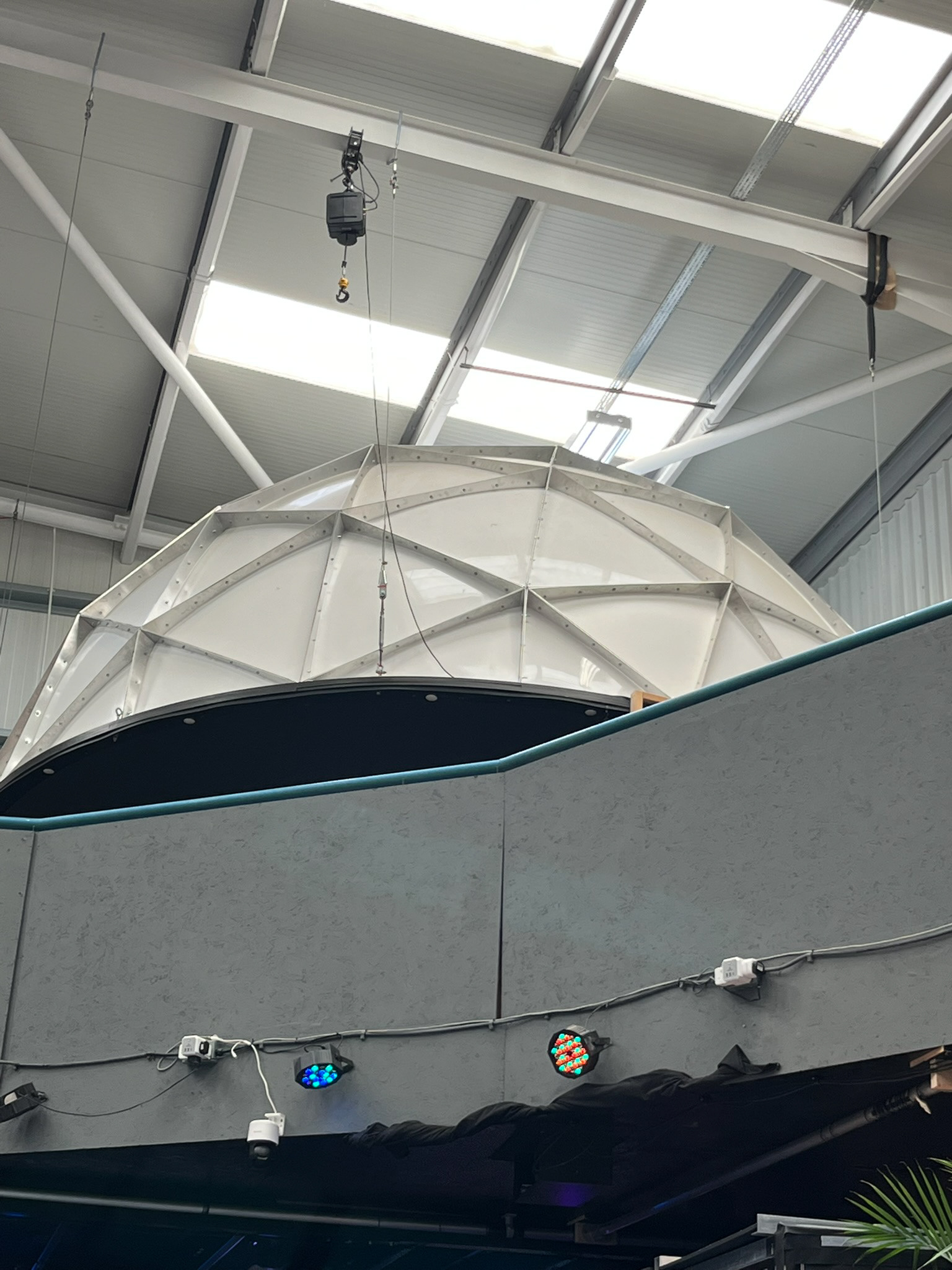
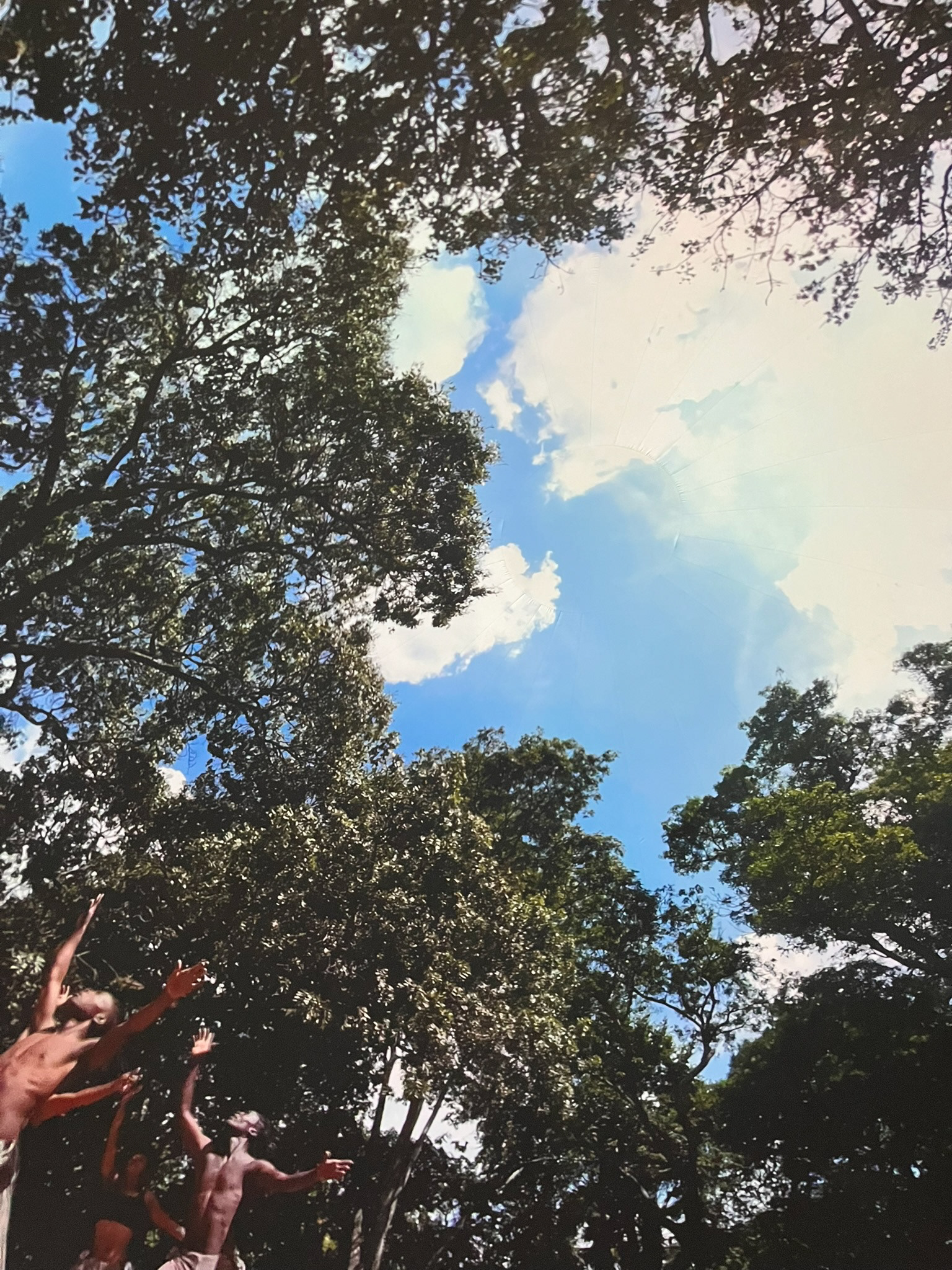
In September, I visited Colt VR to explore their immersive dome installation and gain a greater understanding of the technical and creative possibilities of large-scale projection within a domed environment. The installation utilises twelve projectors to create a continuous, immersive visual experience across a substantial dome structure. The visit provided a valuable opportunity to observe how multiple projections can be integrated to produce an enveloping visual environment, and to consider how this approach might inform the development of my own practice-led research.
Although the experience was highly inspiring, it became apparent that their particular installation operates on a scale and with a level of technical infrastructure that extends beyond the current scope of my project. Their projection system relies on bespoke software developed specifically for the installation, alongside specialist equipment and a purpose-built dome. While this represents an impressive approach to immersive visual presentation, it is not necessarily the most appropriate or accessible model for my immediate research requirements.
My intention is to investigate a more adaptable and achievable approach to immersive projection, potentially using a smaller dome and a limited number of projectors to present my multispectral photographic and moving-image work. I am particularly interested in exploring how ultraviolet and infrared-derived imagery, alongside conventional photographic representations, might be experienced within an enclosed, immersive environment.
During the visit, I also had the opportunity to discuss some of the technical challenges and practical considerations surrounding my proposed installation with members of the Colt VR team. They kindly offered to remain available should I require further advice or technical guidance, which could prove valuable as the project develops.
Overall, the visit was an important source of inspiration and provided a broader understanding of the possibilities and complexities of immersive projection. Although I do not currently envisage using their installation, I would be interested in exploring the possibility of hiring or accessing the dome in the future, should the development of my research and creative practice make this appropriate. I hope to revisit Colt VR and maintain contact with the team as my project progresses.
"As a not-for-profit organisation we support artistic and career development, breaking down barriers of access and engagement with immersive technologies. The Lab brings together producers, technologists, film, theatre makers, artists, academics and performers to explore the limitless potential of cross-media storytelling and immersive arts.
In 2019 CULTVR emerged as a groundbreaking digital arts centre becoming Europe’s first cross-disciplinary Lab with a distinct emphasis on digital arts, live immersive performances and XR experiences. We provide physical and virtual infrastructure, contributing to the democratisation of digital tools and platforms whilst acting as a test bed for R&D, creation, presentation and dissemination of immersive artworks."